How to Download Twitter/X Videos
Follow these simple steps to download any video from Twitter/X
Method 1: Copy Video Address (Recommended)
The fastest way to get the video URL - perfect for quick downloads!
Find the Video You Want to Download
Browse Twitter/X and find a video you want to save. Make sure it's a video post (not an image or GIF).
Right-Click on the Video
Move your mouse over the video and right-click (or long-press on mobile). A menu will appear with several options.
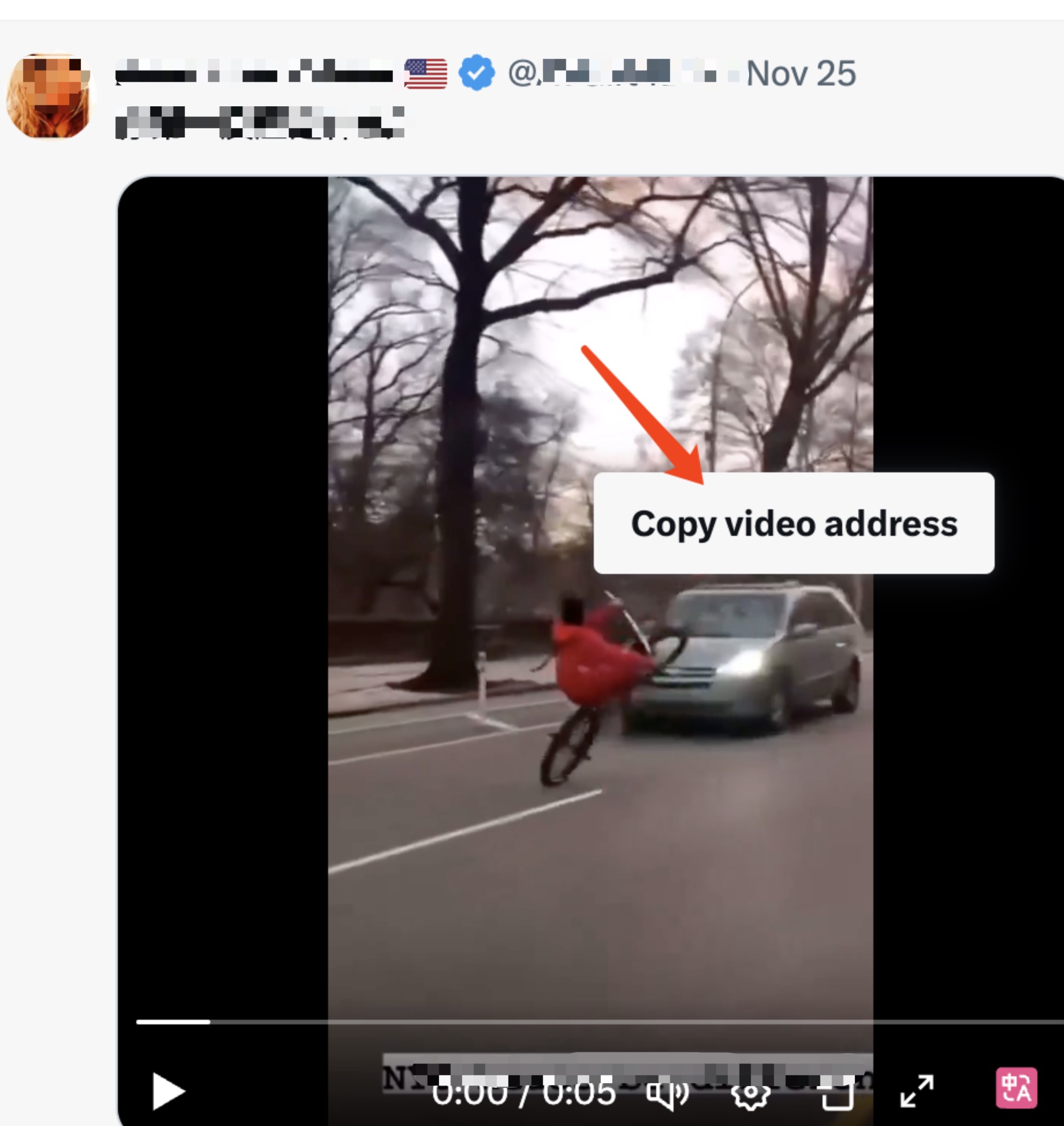
💡 Look for "Copy video address" in the menu
Click "Copy video address"
From the right-click menu, select "Copy video address". The video URL will be automatically copied to your clipboard.
💡 Tip: This gets you the direct video URL, which is faster than copying the tweet URL!
Paste the URL on X-Saver
Go to the X-Saver homepage and paste the copied URL into the input box.
Paste here:
Click "Download Video"
Click the blue "Download Video" button and wait a few seconds while we fetch the video.
Choose Quality and Download
Select your preferred video quality (1080p, 720p, 480p, or 360p) and click the "Download" button. The video will automatically save to your device!
🎉 Done! The video will be saved in your Downloads folder.
Method 2: Copy Tweet URL (Traditional)
This is the classic method - works on all devices and browsers.
Find the Video Tweet
Navigate to the tweet containing the video you want to download.
Click the Share Button
Click the share icon (usually looks like an arrow or share symbol) below the tweet.
Select "Copy Link"
From the share menu, choose "Copy link" or "Copy link to Tweet". The tweet URL will be copied to your clipboard.
Paste and Download
Paste the URL on X-Saver, click "Download Video", choose your quality, and save!
💡 Pro Tips
⚡ Quick Method
Use Method 1 (Copy video address) for the fastest downloads - it's one click less!
📱 Mobile Users
Long-press on the video to see the "Copy video address" option on mobile browsers.
🎬 Video Quality
Higher quality (1080p) means larger file size. Choose 720p or 480p for faster downloads.
🔄 Multiple Downloads
Click the × button in the input box to quickly clear and download another video.
⌨️ Keyboard Shortcut
After pasting the URL, press Enter to start fetching the video immediately.
💾 Save Location
Videos are saved to your default Downloads folder. Check your browser settings to change this.
✅ Supported Platforms & Browsers
Desktop
Windows, macOS, Linux
Mobile
iPhone, iPad, Android
Browsers
Chrome, Firefox, Safari, Edge
🔧 Troubleshooting
❌ "Tweet not found" error?
Make sure the tweet is public and contains a video. Private accounts or deleted tweets cannot be downloaded.
⚠️ Video not downloading?
Check your browser's download settings. Some browsers may block automatic downloads - allow them when prompted.
🔄 "Loading" forever?
Refresh the page and try again. If the problem persists, the Twitter API might be temporarily unavailable.
📱 iOS Safari issues?
iOS Safari may open the video in a new tab instead of downloading. Long-press the video and select "Save Video" to save it to your Photos.